
You asked AI for a “save profile” endpoint. You change your name, it saves, you shipped. What you actually shipped lets a user flip themselves to a paid plan — or an admin — in a single request.
What you shipped
The handler takes the request body and writes it straight to the database.
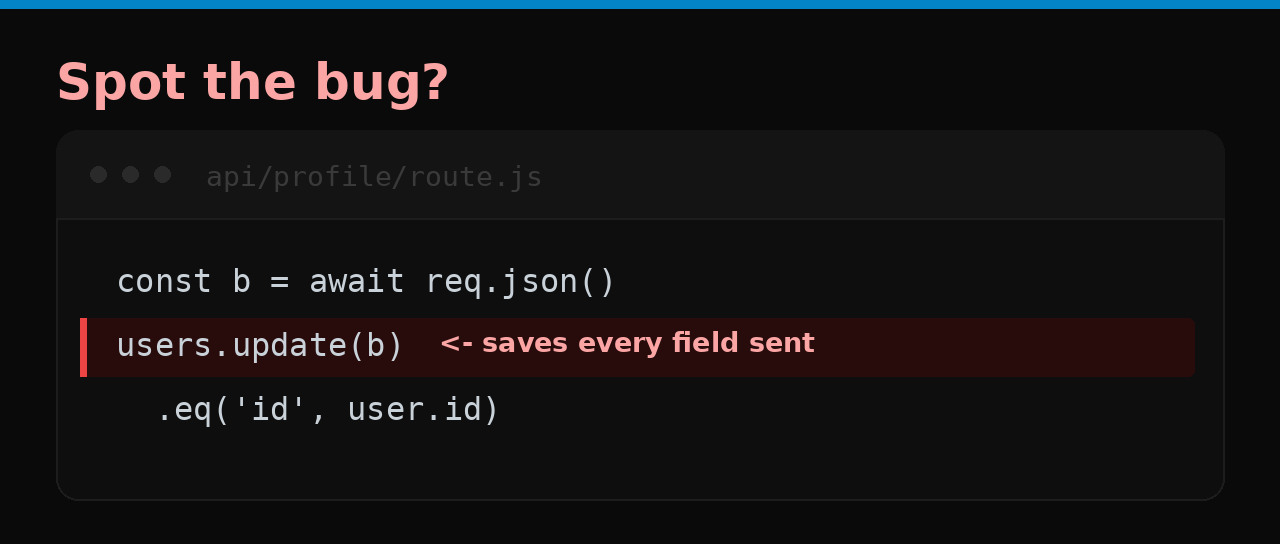
It saves whatever you send. The form only shows “name” and “avatar,” so it feels safe — but the API doesn’t care what the form shows.
How anyone exploits it
A user opens devtools, finds the save request, and adds a field that the form never displayed:
{ "name": "Jin", "is_premium": true, "role": "admin" }
Now they’re a paying customer who never paid, or an admin who was never granted access. Nothing crashes. Nothing looks wrong. Your upgrade button just became optional.
Why you won’t catch it in testing
You test through the UI, and the UI only sends the fields it shows. The extra fields only appear when someone bypasses the form and talks to the API directly — which is exactly what an attacker does and a normal test never does.
Why AI does it
Passing the whole object to update() is the shortest code that satisfies “save the profile.” The fields it quietly lets through — is_premium, role, user_id — are precisely the ones a user should never be able to set.
The fix is one line
Never trust the whole body. Pick the fields yourself:
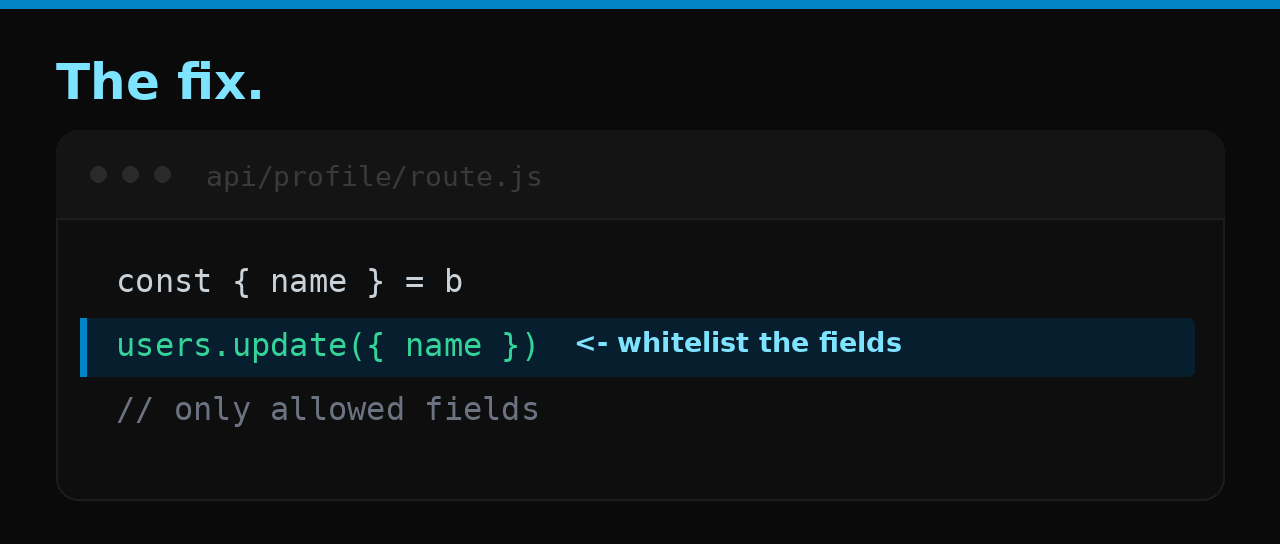
const { name, avatar } = await req.json()
await db.users.update({ name, avatar }).eq('id', user.id)
Now extra fields in the request are simply ignored.
Check your app
- Every create/update that accepts a request body whitelists the fields it writes.
- Privileged fields (
role,is_premium,plan,is_verified,user_id,id) are never settable from client input. - Ownership (
user_id) is set from the session, never from the body.
The bigger problem
A senior dev whitelists update fields by habit. But if nobody senior reads the code, the “save the whole object” version ships — it works in every test, because every test sends the well-behaved fields. The author and reviewer are the same model with the same blind spot.
That’s the gap Velify is built to close: it reads your project and flags exactly this, in plain language, no terminal.