
You asked AI for a search endpoint. You type a name, results come back, you shipped. What you actually shipped lets anyone read every row in your database — or delete a table — by typing the right thing into your search box.
What you shipped
The query glues your user’s input directly into the SQL string:
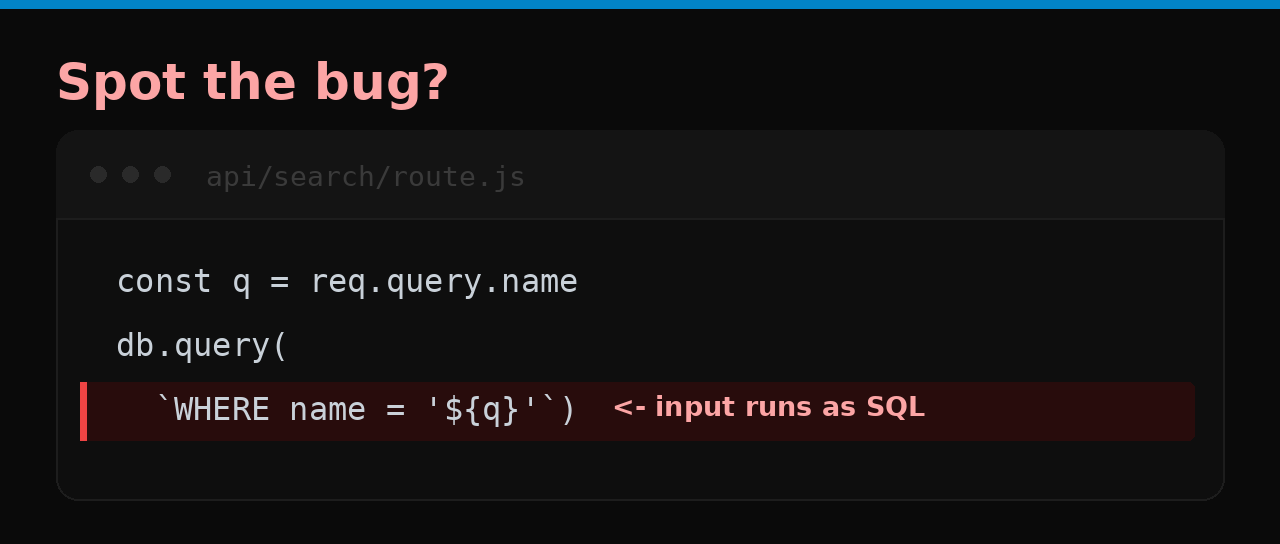
That ${q} isn’t a value — it becomes part of the command. The database can’t tell your intended query from the attacker’s appended one.
How anyone exploits it
They type SQL where you expected a name:
?name=' OR 1=1 --
The ' OR 1=1 makes the condition always true (return everything), and -- comments out the rest of your query. Now they have every row. A nastier input — '; DROP TABLE users; -- — deletes the table outright. No tools, just a text box.
Why you won’t catch it
You test with real names, and real names work perfectly. The break only shows up when someone types a quote and a SQL keyword — something you’d never type and a normal test never includes. Everything is green until it isn’t.
Why AI does it
String interpolation is the most natural-looking way to build a query: “put the name here.” It reads cleanly and works for every well-behaved input. The fact that input and code share the same string — the whole vulnerability — is invisible on the happy path.
The fix is one line
Use parameters. The database treats them as data, never as SQL:
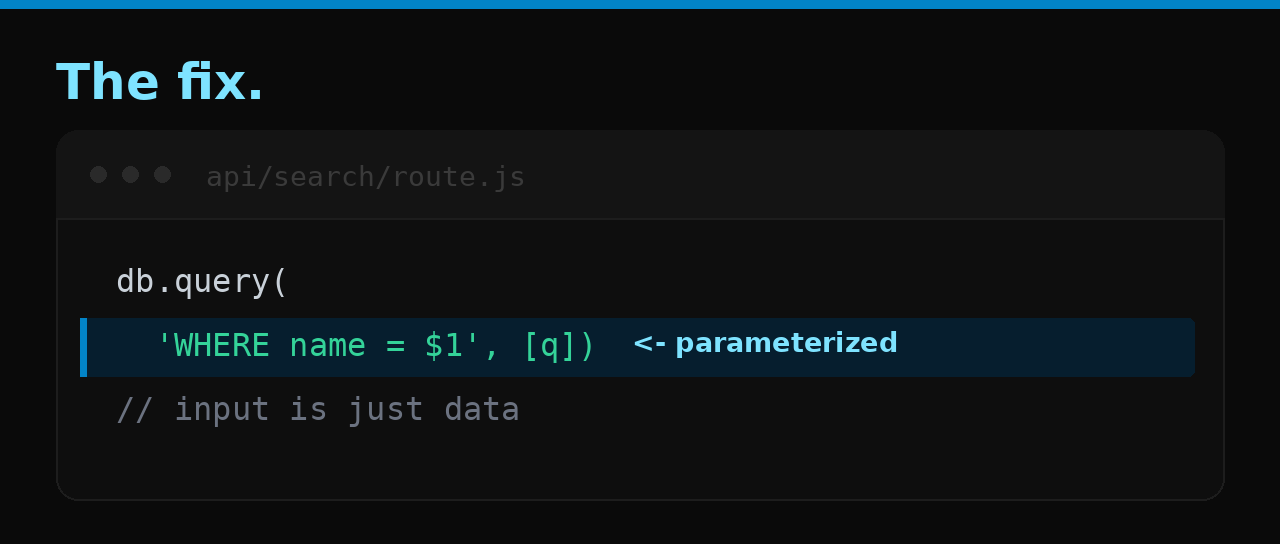
db.query('SELECT * FROM users WHERE name = $1', [q])
Now ' OR 1=1 -- is just a (weird) name that matches nothing.
Check your app
- Every query uses parameters/placeholders — never string concatenation or template literals with user input.
- This includes
LIKE,IN (...),ORDER BY, and raw fragments your ORM lets through. - Anywhere you reach for raw SQL, the values go in the parameter array, not the string.
The bigger problem
A senior dev parameterizes by reflex; the concatenated version makes their skin crawl on sight. But if nobody senior reads the code, the interpolated query ships — it works in every test, because every test sends a normal name. The author and reviewer are the same model with the same blind spot.
That’s the gap Velify is built to close: it reads your project and flags exactly this, in plain language, no terminal.